What it does
Built for people who actually read their data — not a forecast app with a thermometer on it.
Live conditions
Temperature, feels-like, humidity, dew point, wind and gusts, pressure, UV, visibility and rainfall — whatever your station reports.
Charts that read well
Colour-graded graphs for the last 24 hours, the last six months, or a whole year, with the period average marked.
History and records
A calendar heatmap of every day, the hottest and coldest on record for each date, and how this year compares with the ones before it.
Alerts worth having
Frost, heat, high wind, heavy rain — plus rate alerts for pressure falling, temperature swinging, or a station going quiet.
On your wrist
Current conditions and graphs on Apple Watch, with complications for the faces you actually use.
Colour themes
Nine ways to colour your data, from a classic spectral scale to muted single-hue palettes. Three are free.
A look at it
Current conditions, decades of history, and widgets for the Home Screen.
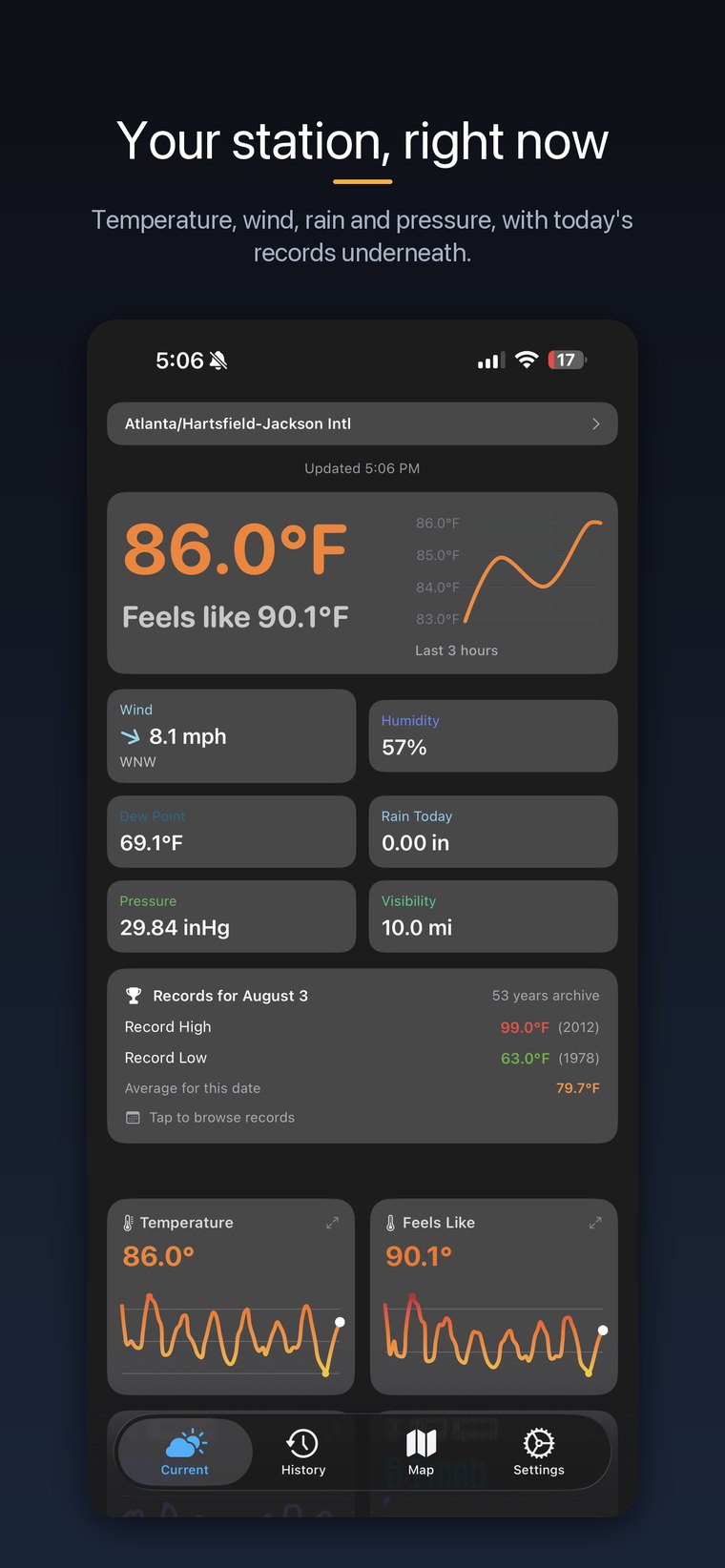
Live readings, with today's records underneath
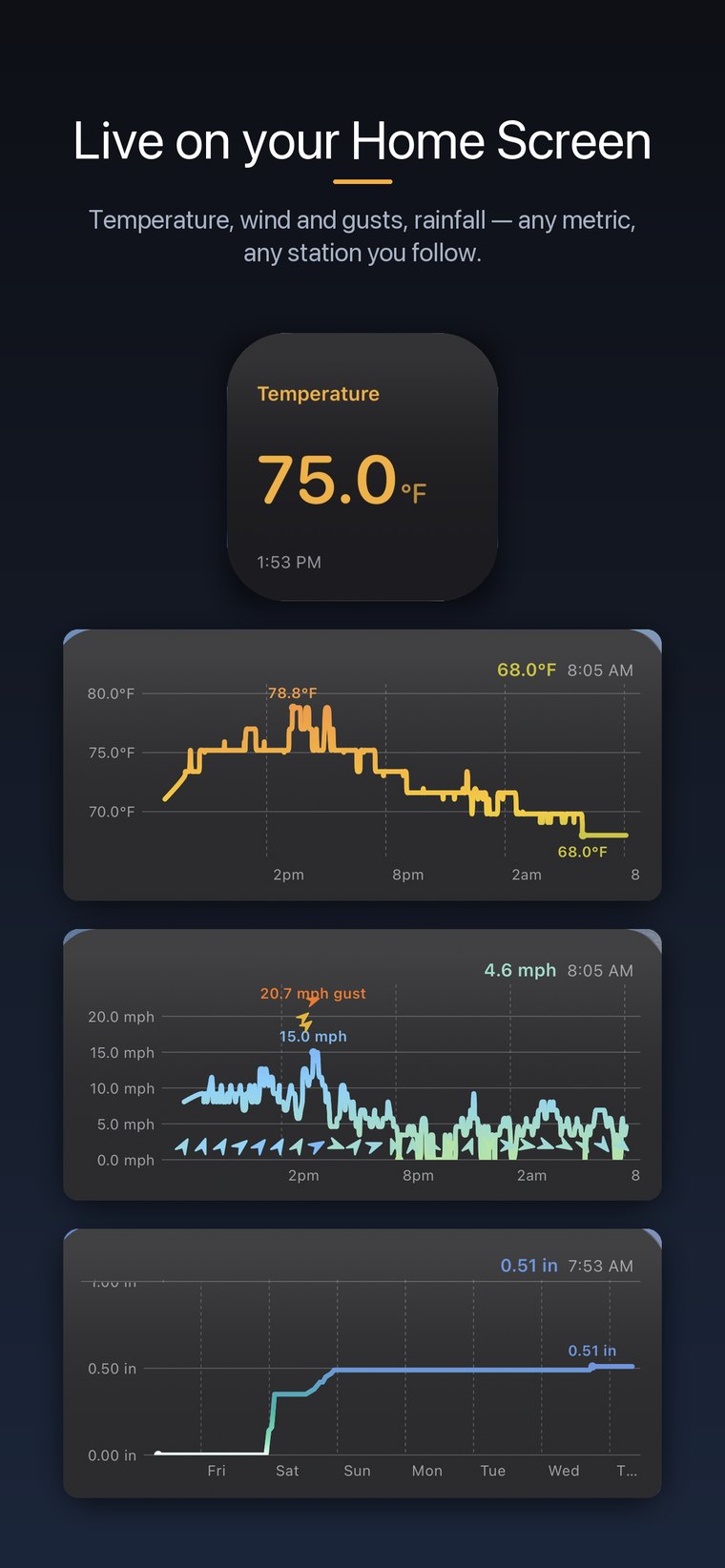
Live readings, any metric, any station
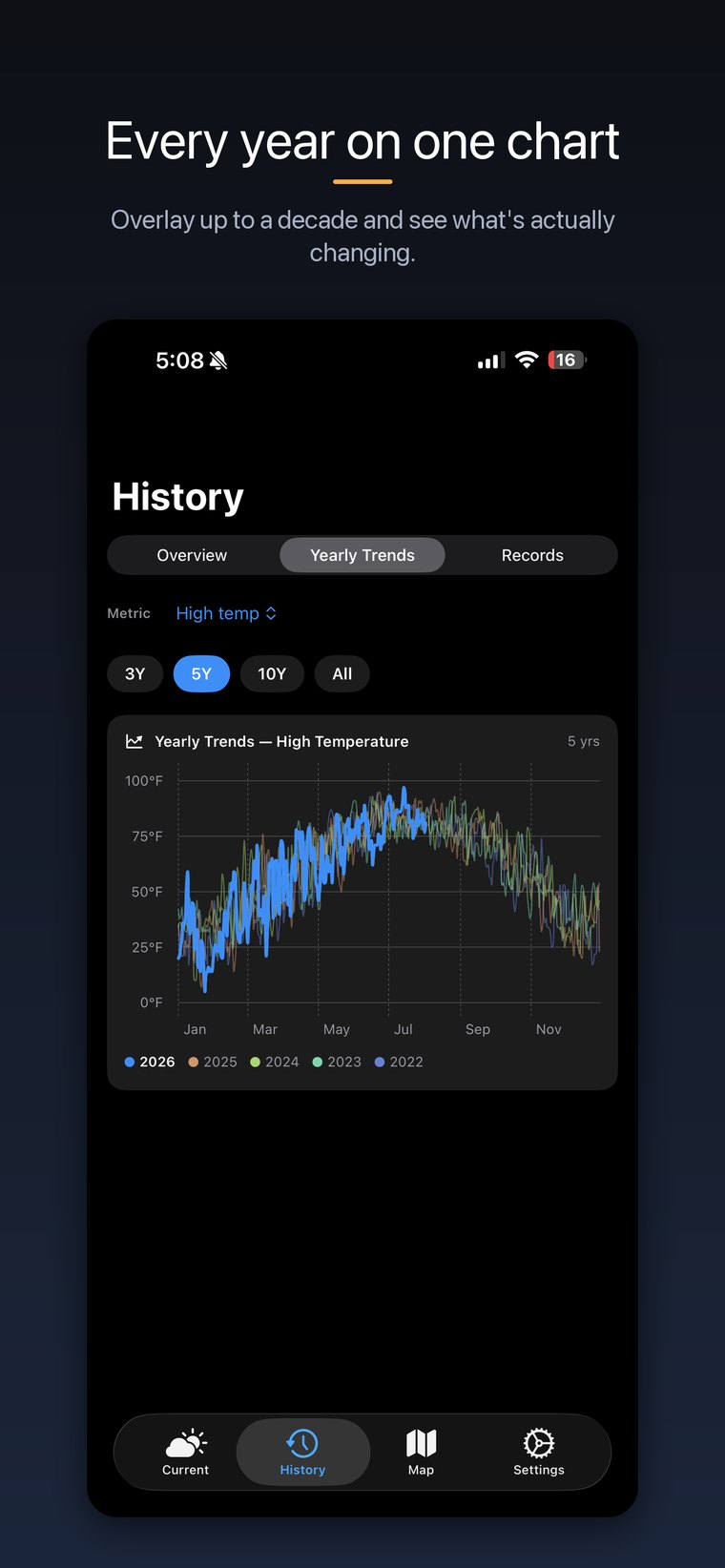
Five years overlaid on one chart
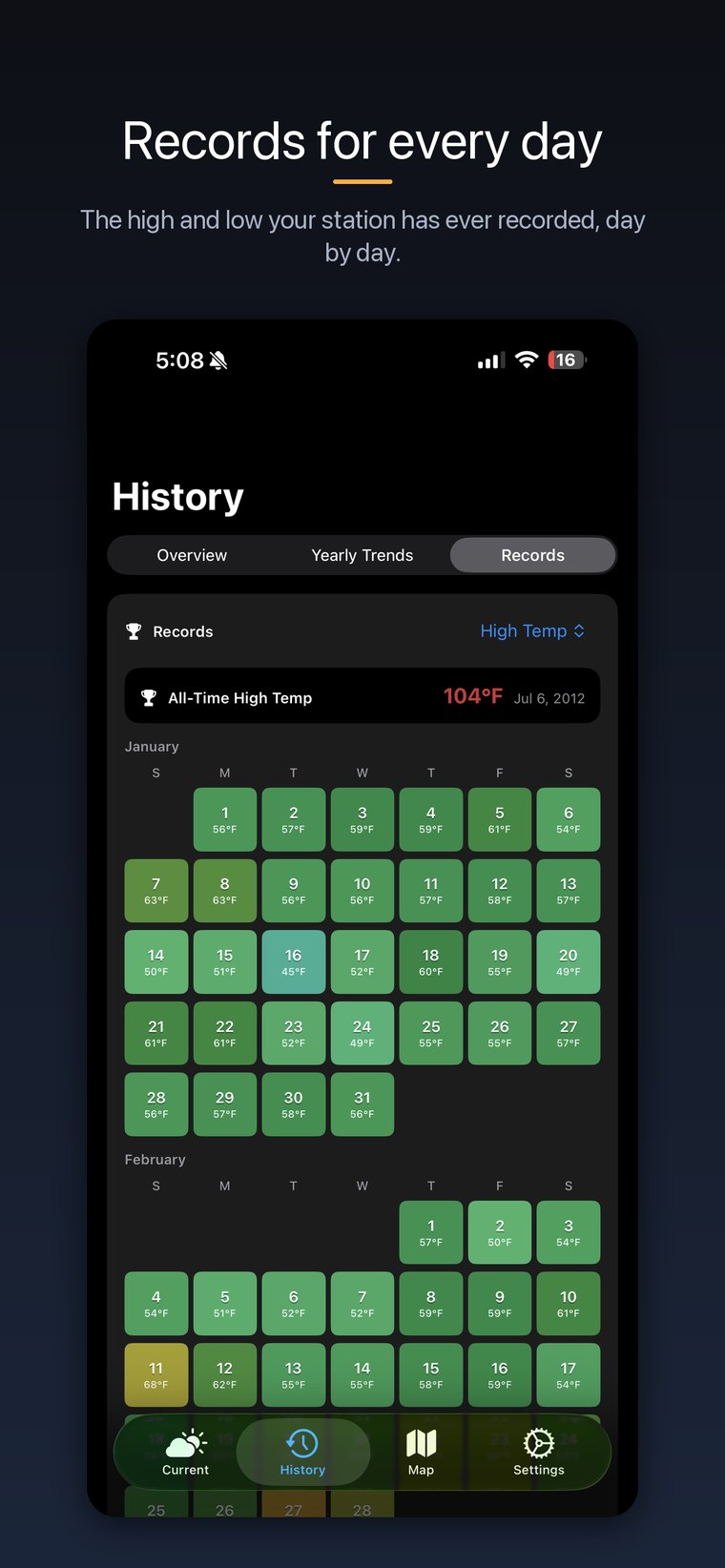
A record high and low for every calendar day
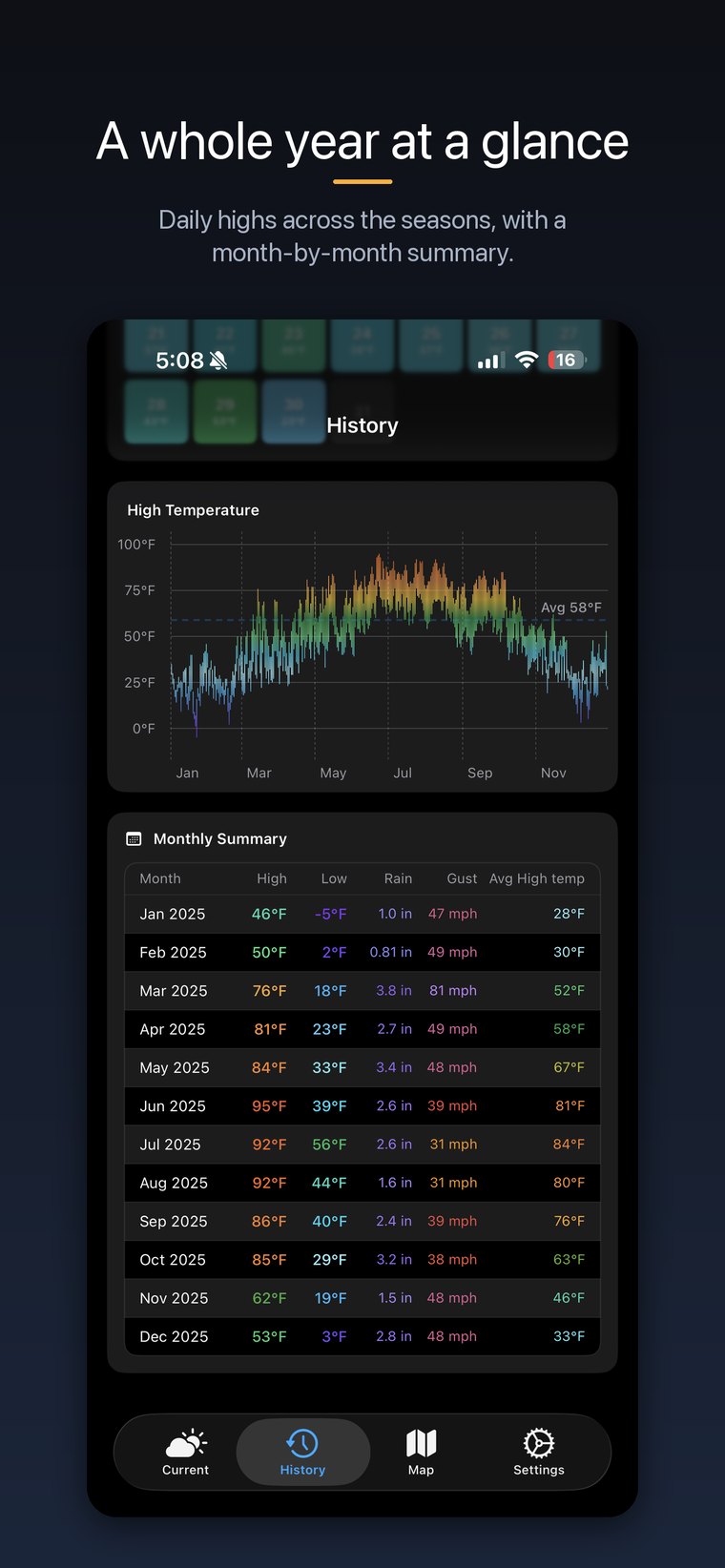
A whole year, month by month
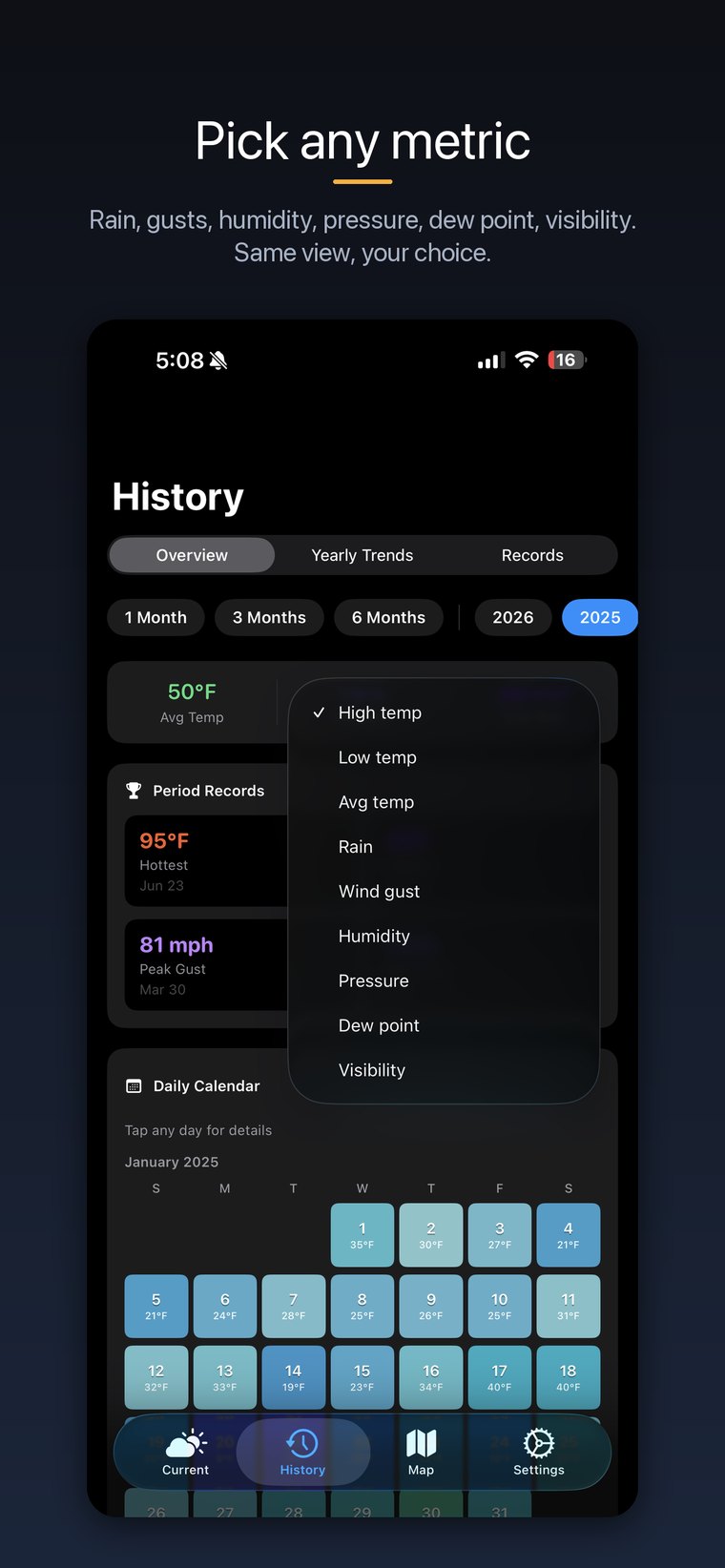
Every chart, in any metric
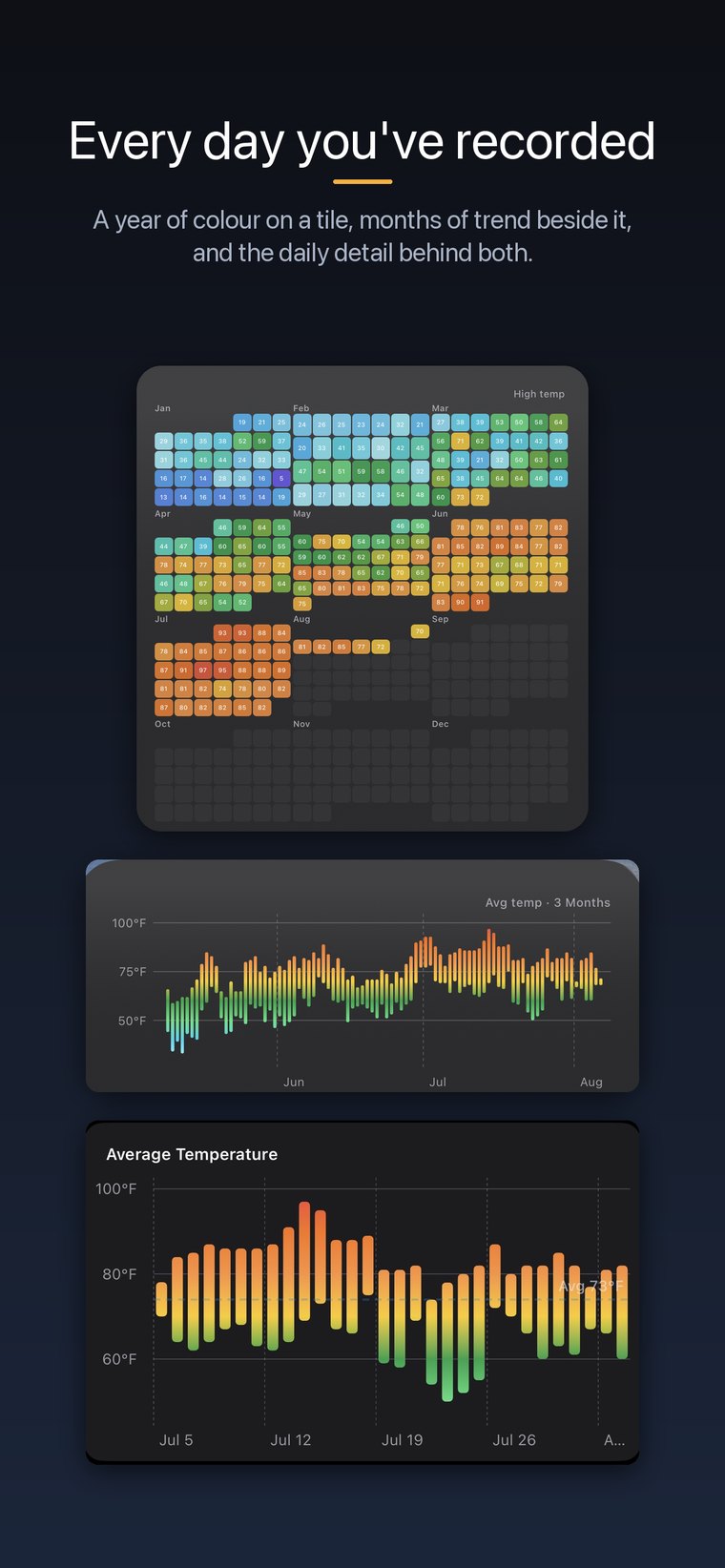
A year on a tile, and the detail behind it
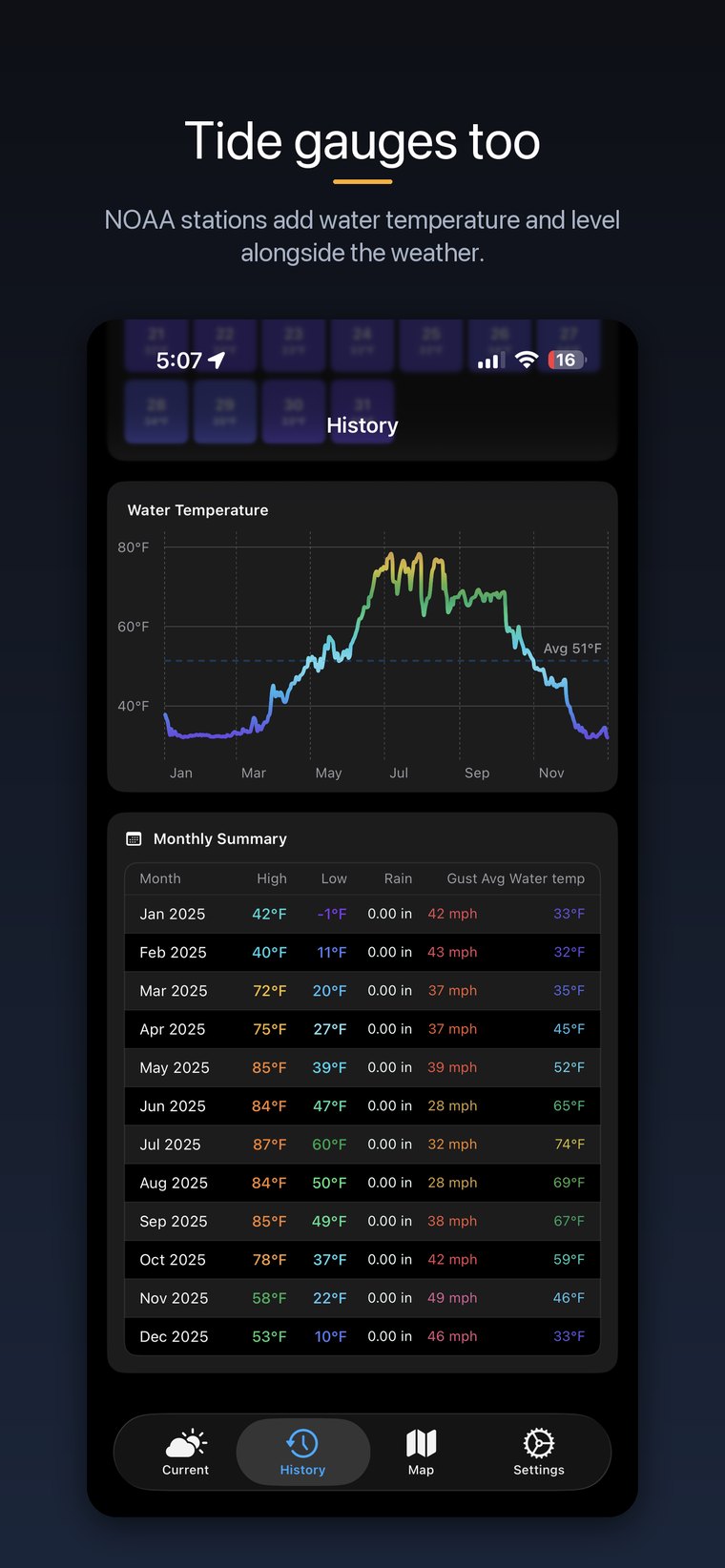
Water temperature and tides from NOAA stations
Four kinds of station
Add as many as you like and switch between them. Airport and tide stations work straight away with no account or key of your own.
Weather Underground
Your own PWS, using your Weather Underground station ID and API key.
Davis WeatherLink
Davis hardware through WeatherLink, using your API key and secret.
Airport (METAR)
Any reporting airport worldwide. Records for these often reach back to the 1940s.
Tide gauge (NOAA)
NOAA coastal stations, including water level and water temperature.
Help
The questions that come up most.
How do I add my own weather station?
Open Settings → Add Station. For Weather Underground you'll need your station ID and an API key from your WU account. For a Davis station, enter your WeatherLink API key and secret instead.
Do I need an account or an API key?
Not for airport or tide stations — they're public and work immediately. A personal station needs a key from Weather Underground or WeatherLink, because only your own key can read your station.
How far back does history go?
As far as the source does. Airport stations often reach back decades — many to the 1970s, some to the 1940s. A personal station goes back as far as Weather Underground or WeatherLink has kept its data.
History loads by itself in the background. A deep archive can take a while the first time; it keeps whatever it has already fetched and carries on where it left off.
Why don't my history and records reach as far back as I expect?
The archive fills in over time rather than all at once, so a station added recently will deepen over the following days. Pull down to refresh on the History tab to pick up whatever has arrived.
When do alerts actually fire?
Alerts are checked when the app is open and, for personal stations with background alerts on, while the app is closed. iOS decides how often background checks run, so a threshold crossed overnight may be reported when it next gets a chance rather than at the exact minute.
An alert notifies once when it starts, not repeatedly while it lasts. It resets when conditions come back the other side of the threshold.
Why aren't my widgets updating?
Widgets refresh when the app opens and periodically in the background. Turning on Background App Refresh in iOS Settings → Backyard Weather lets them update more often.
Why does my Apple Watch show different readings?
The watch is updated from the phone. Open the iPhone app and pull down to refresh; the watch follows within a few seconds when both devices are connected.
What does Supporter include?
Longer history ranges, the year picker and yearly trends, unlimited alerts per station, and six extra colour themes. Live conditions, 24-hour graphs, widgets, the watch app, one alert per station and three themes are all free.
Something broken, or missing?
Bug reports and feature requests both welcome — they genuinely shape what gets built.
Email support